
Features
Everything Flyt Logbook does
A recorder, a live card, a history and a grader, in one window on the MSFS 2024 toolbar.
01
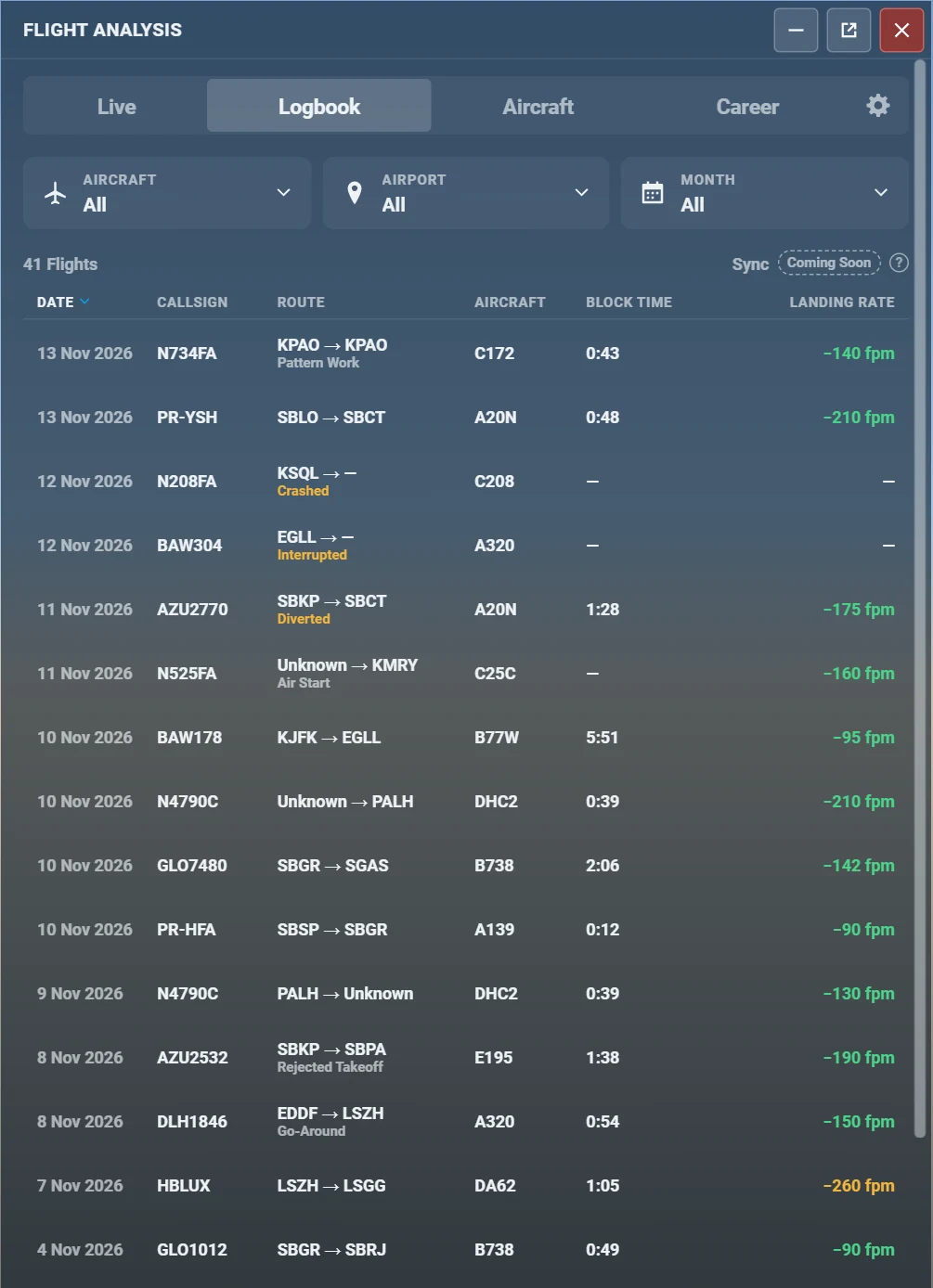
An automatic logbook
You fly. It writes the entry.
- Out, off, on and in times in UTC and in the local time of the sim, plus block time and flight time
- Airports and runways, aircraft type, model and registration, callsign
- Day and night hours and landings, worked out from the sun’s height at your position
- A flight phase machine from parked to in: pushback, taxi, takeoff, climb, cruise, descent, approach, touchdown, rollout
- Special cases handled: go-around, touch-and-go, rejected takeoff, diversion, air start and seaplanes
02
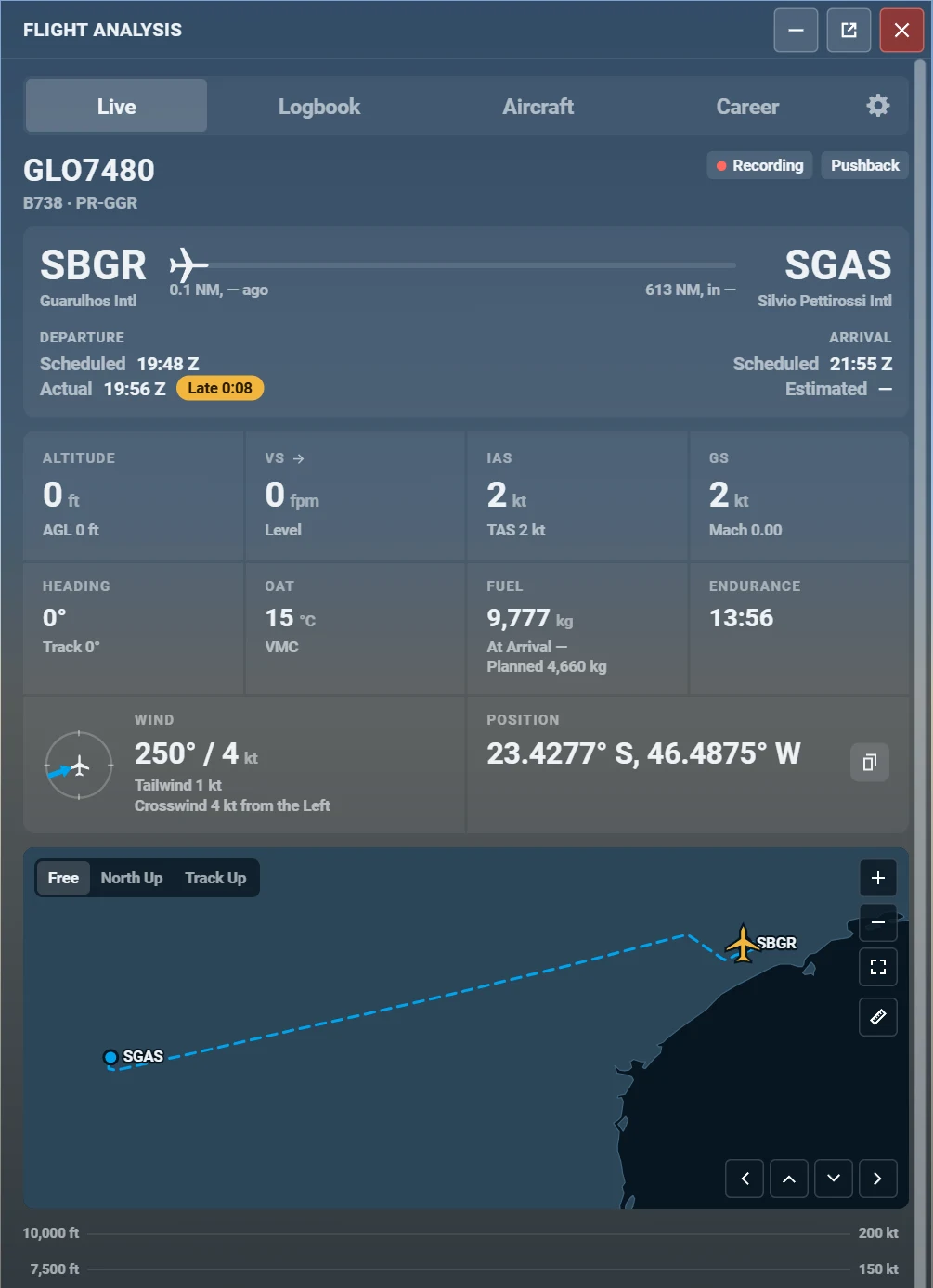
A live flight card
The flight in progress, readable at a glance.
- Origin, destination and a progress bar with the distance flown and left
- Scheduled and actual departure, scheduled and estimated arrival, and the delay
- Altitude, vertical speed, IAS, TAS, Mach, ground speed, heading, track, OAT, wind with head and crosswind, and position
- Fuel on board and planned, with the endurance
- With no plan it says the destination is unknown and shows the nearest airport. It never guesses one.
03
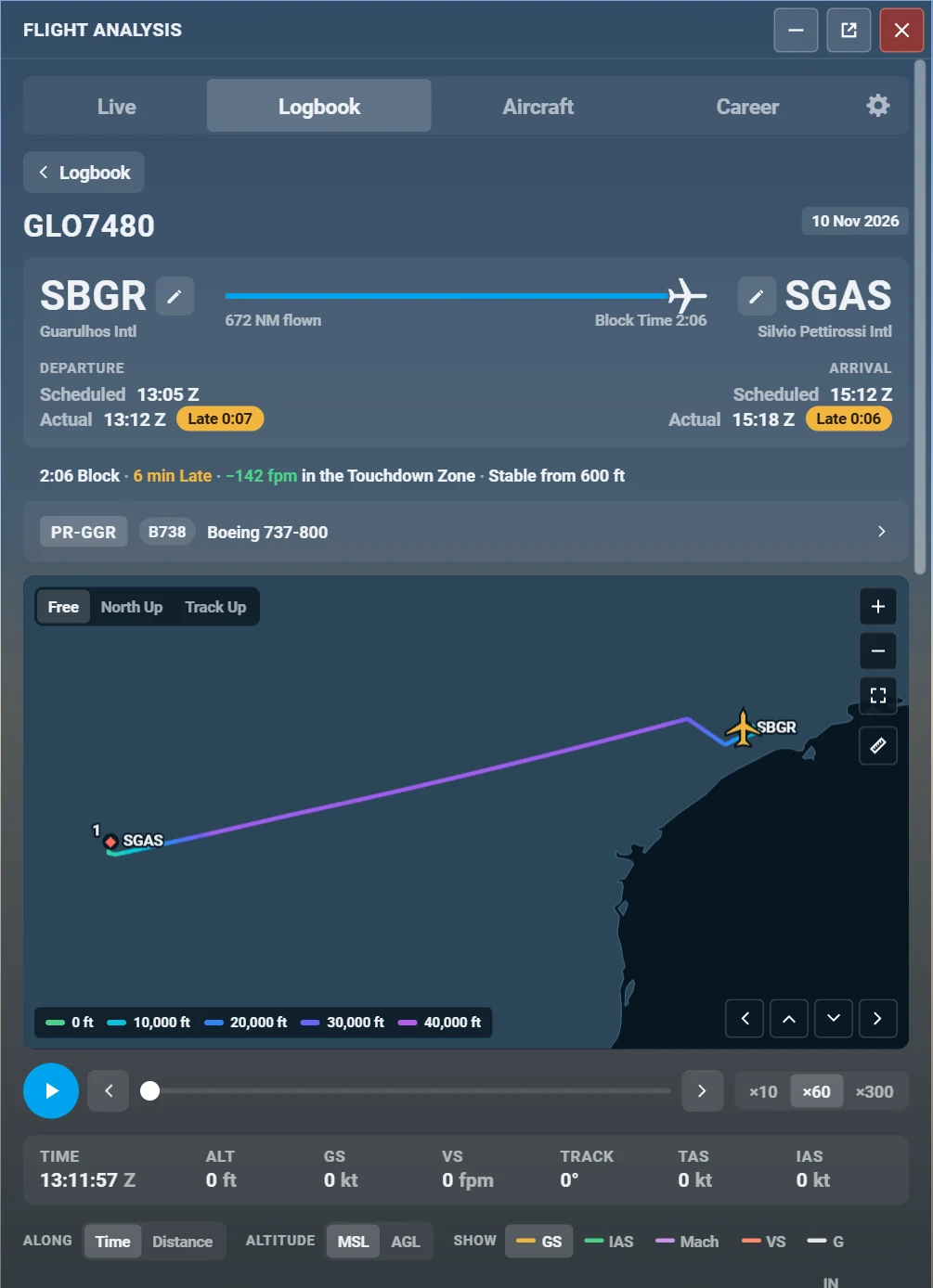
Route map and replay
Every flight keeps its path, to fly again.
- A track coloured by altitude, low to high, with your planned route dashed when you had a plan
- An adaptive track that records more in turns, climbs and approaches, and less in a steady cruise
- A replay with play, pause and speeds of x10, x60 and x300
- A built-in vector map that works offline, with a pan and zoom you can use from a gamepad
04
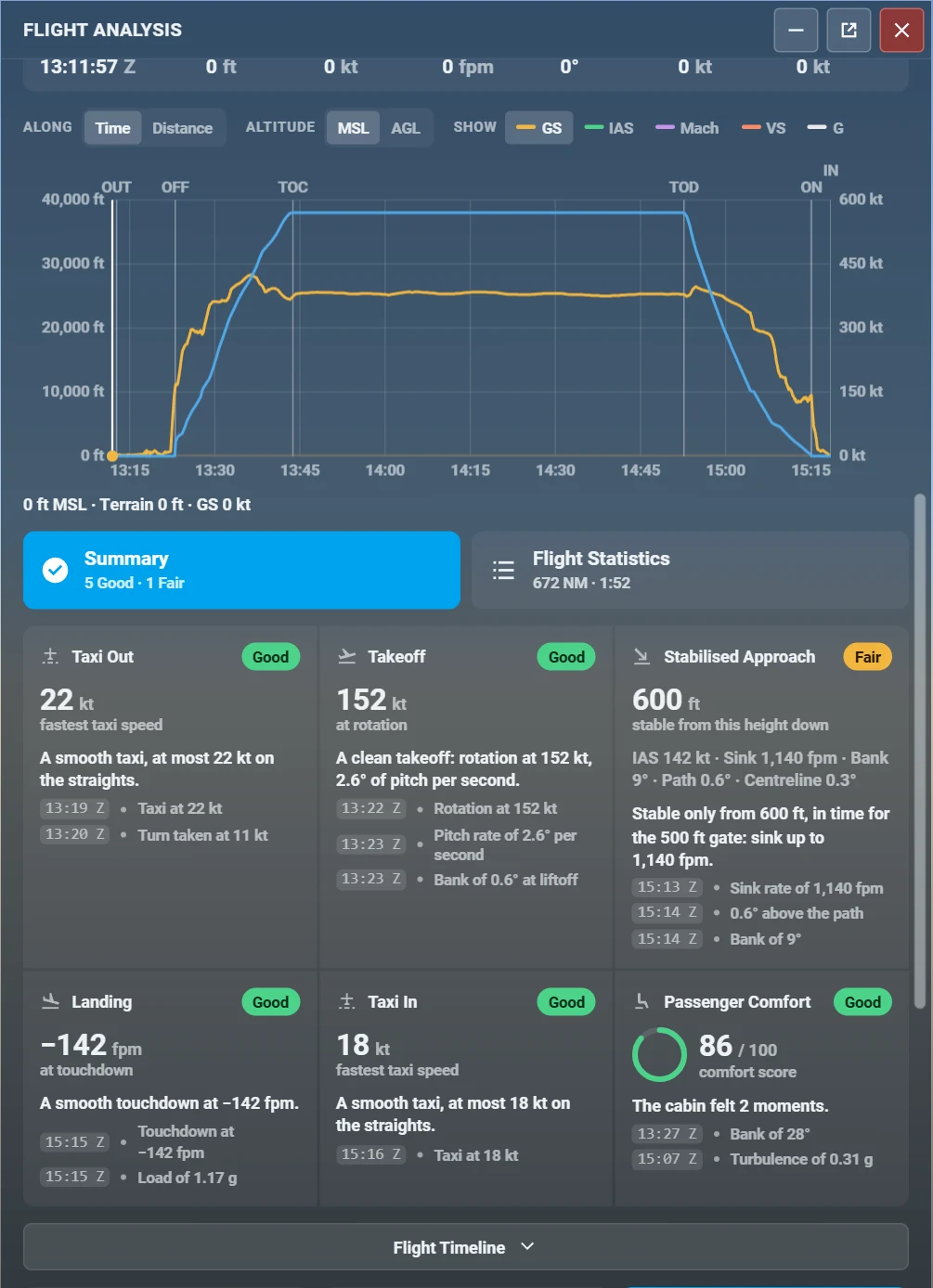
The graph and the timeline
Altitude and speed over time, with the flight’s events on it.
- Altitude on the left, ground speed on the right, time on the bottom, switchable to distance
- Show or hide IAS, Mach, vertical speed and G
- Markers for OUT, OFF, TOC, TOD, ON and IN, and for go-arounds and touchdowns
- A timeline and statistics for the whole flight: maxima, totals, fuel, distance
05
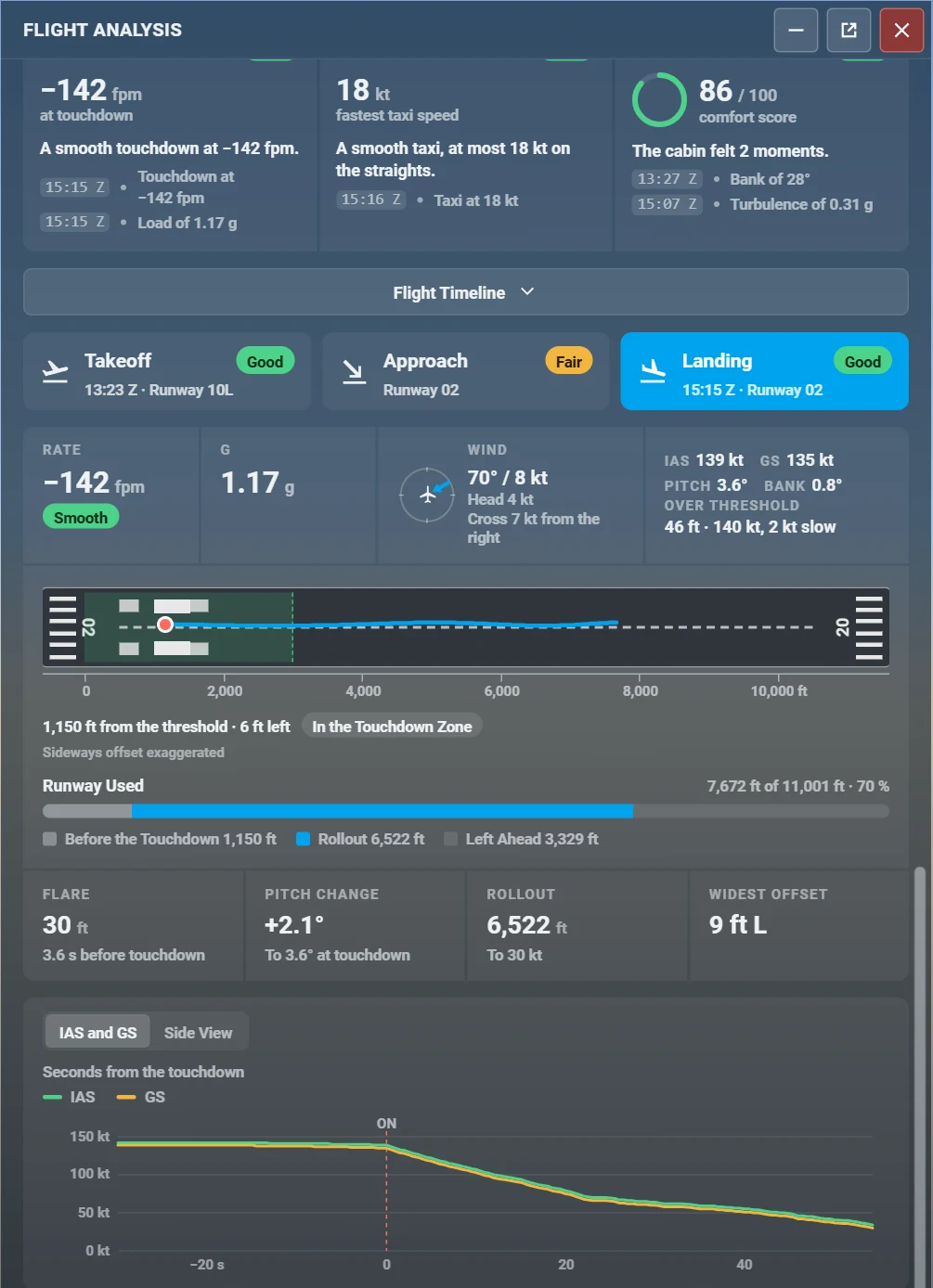
A graded note for every phase
Taxi, takeoff, stabilised approach, landing, passenger comfort and fuel.
- Each note has a number or level, a plain sentence and the evidence with its time
- Takeoff: rotation speed, pitch rate, bank at liftoff, roll distance against the runway
- Approach: gates at 1,000 and 500 ft for speed, sink rate, configuration, glide path and centreline
- Landing: touchdown rate, load, bank, pitch, wind, runway, distance from the threshold and centreline, bounces
- Judged on the conditions, not the aircraft type. No data, no invented limit.
06
Flight plans, with or without one
A plan makes the flight richer. It is never required.
- SimBrief: your latest flight plan, fetched only when you press the button, never polled
- The MSFS 2024 EFB plan and the avionics plan, read when you have one
- With no plan, the departure is the airport where you started, confirmed by the runway you took off from
- Scheduled against actual times, and planned against used fuel, when a plan exists
- Landing somewhere else than planned is marked as a diversion
07
Career and aircraft
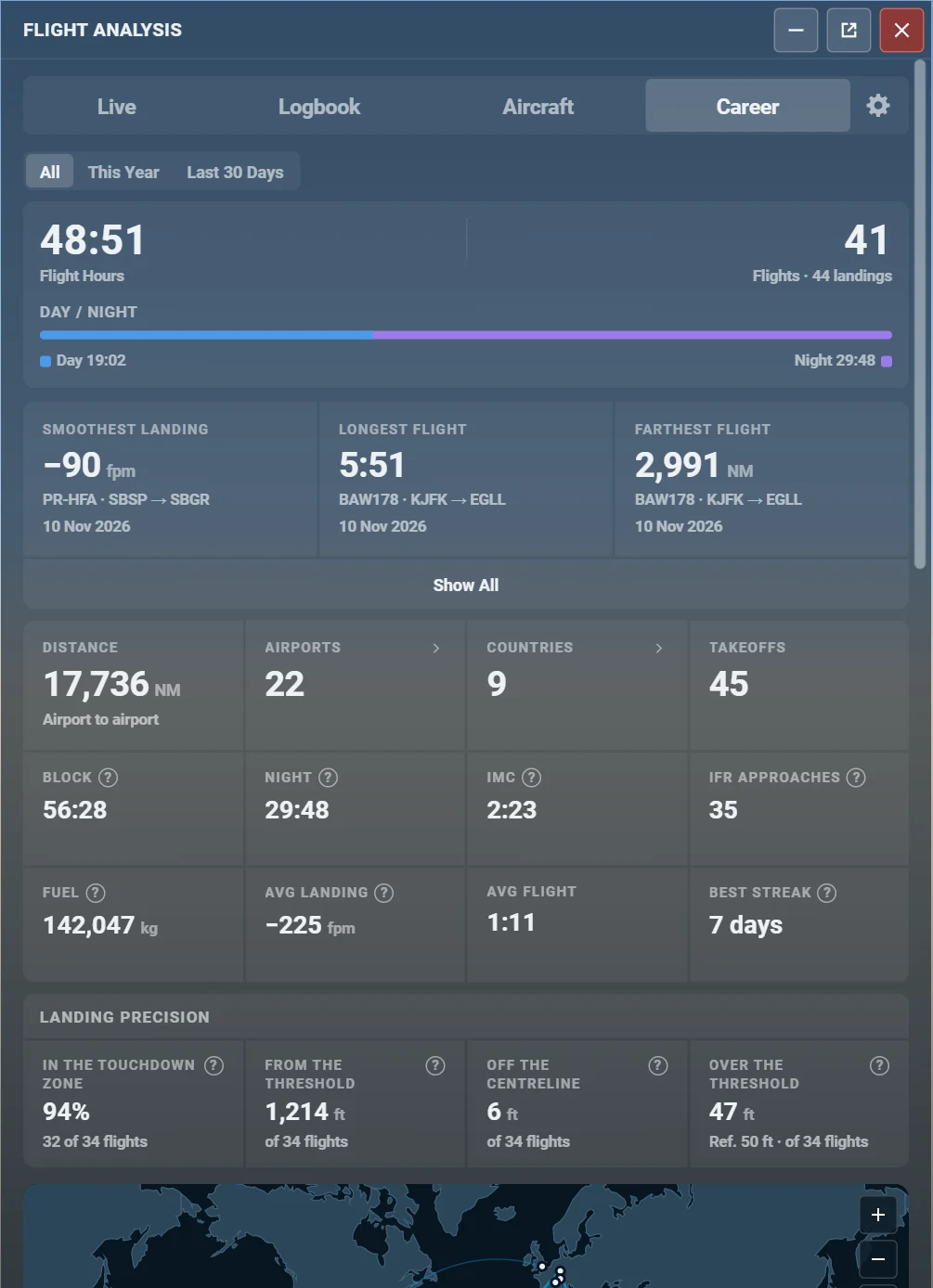
Your flying life, in numbers.
- Hours, flights, landings, day and night, distance, airports, countries, fuel and IFR approaches
- Records: the smoothest landing, the longest flight and the farthest flight
- Landing precision: how often you touch down in the zone, and how far from the centreline
- An Aircraft screen with hours, flights and last airport for every aircraft, sorted by hours, flights or recency
- You choose whether flights with time acceleration, slew or teleport count towards your totals
08
Yours to adjust
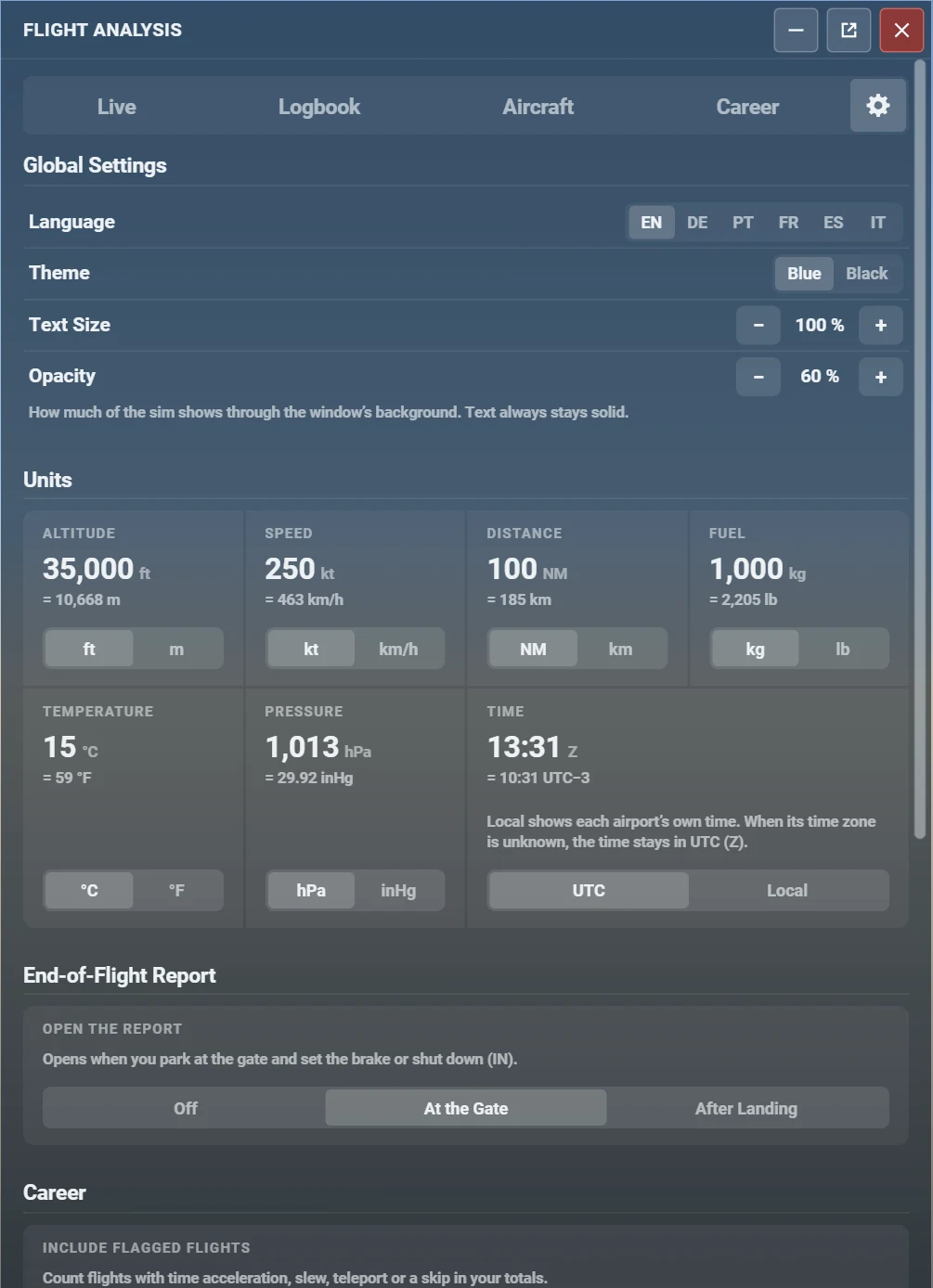
Themes, units and languages, on PC, Xbox, VR or gamepad.
- Blue and black themes, text size and opacity
- Feet or metres, knots or km/h, NM or km, kg or lb, °C or °F, hPa or inHg, UTC or local time
- English, German, Portuguese, French, Spanish and Italian
- Every control reachable with a gamepad, and a window readable in VR
09
Honest by design
The rules the add-on keeps, whatever the screen.
- It never invents a value. What the sim or the plan does not give is shown as “—”.
- It never loses a flight. The flight in progress is saved as it goes and recovered after a crash.
- It never hitches the sim. Recording runs in a standalone module, and nothing is written at touchdown.
- It never calls home. The add-on sends no telemetry, and works offline.
Every flight you fly, logged and graded by itself.
Get Flyt Logbook